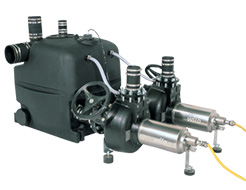
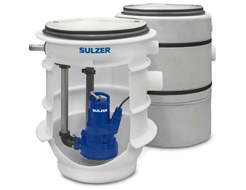
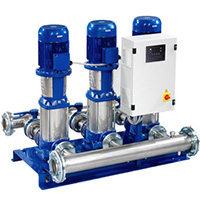
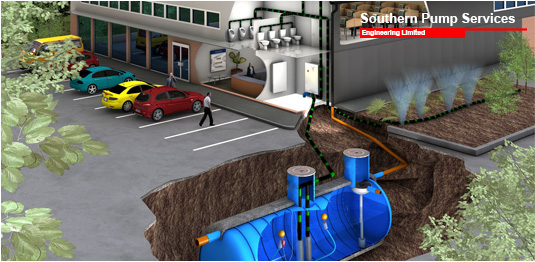
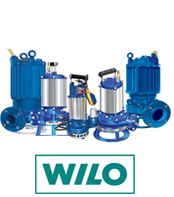
Southern Pump Services Engineering limited provide a wide range of pump control panels suitable for package pump station control our standard range of single and dual pump control panels all our pump control panels are designed for controlling and monitoring sewage and foul water pumping stations, surface water pumping stations and sewage treatment plants, our control panels are easy to install and configure they also have very low running costs. All our pump control panels can be controlled by one of the following methods float switches, probes or ultrasonic’s.
Our Fix Land line Dial-Out telemetry control panel is designed to monitor and alert of any alarm conditions that are programmed to the unit; the system is protected with battery backup.
The Fix Land line Dial-Out telemetry control panel unit has three alarm inputs which are normally used to monitor the following conditions.
Typical Applications
1: Pumps or Pump tripped
This alarm condition would send a message out should any of the pumps trip out on overload or any other type of pump protection fitted.
2: High Level Alarm Condition
The high-level alarm circuit would be from the 12vdc supply, so should the mains fail and the water level rise and set the high level alarm off the unit would still transmit the alarm.
3: Pump Station Healthy
This alarm function is use to monitor the fault signals above and has a delay timer fitted on the signal, when the alarm unit is commissioned and no alarm signals are on, after a preset time the dial out unit will call and inform you that the pump station is healthy, (if an alarm is raised for a pump trip this fault condition would have to be reset on the control panel, but if an alarm is raised for high-level condition the unit will dial out. Should this alarm condition only be for a short period of time say 30min and then the level of water in the station fall the alarm unit will send the pump station healthy signal out to cut down on any wasted call outs.
Our GSM Dial-Out telemetry control panel is designed to operate via a mobile phone network; this unit can run on any of the standard networks on a pay as you go system.
You can top up the credit from a standard card and you can check what credit is remaining on the unit at any time. You can call the unit up at any time to check the alarm status; the GSM Dial-Out telemetry control panel unit unit has 6 inputs for alarms.
This type of remote alarm will only send text messages to a mobile phone; it will not dial a fix landline phone.
Typical Applications
1: Pumps or Pump Tripped
This alarm condition would send a message out should any of the pumps trip out on overload or any other type of pump protection fitted.
2: High Level Alarm Condition
The high-level alarm circuit would be from the 12vdc supply, so should the mains fail and the water level rise and set the high level alarm off the unit would still transmit the alarm.
3: Pump Station Healthy
This alarm function is use to monitor the fault signals above and has a delay timer fitted on the signal, when the alarm unit is commissioned and no alarm signals are on, after a preset time the dial out unit will call and inform you that the pump station is healthy, (if an alarm is raised for a pump trip this fault condition would have to be reset on the control panel, but if an alarm is raised for high-level condition the unit will dial out. Should this alarm condition only be for a short period of time say 30min and then the level of water in the station fall the alarm unit will send the pump station healthy signal out to cut down on any wasted call outs.